
Build a mini studio: broadcast video at the desk
A mini studio is a regular desk set up to work like a small TV control room. Your agents switch live scenes while they talk, and the video is done when they stop. About two minutes of their day, with zero editing.
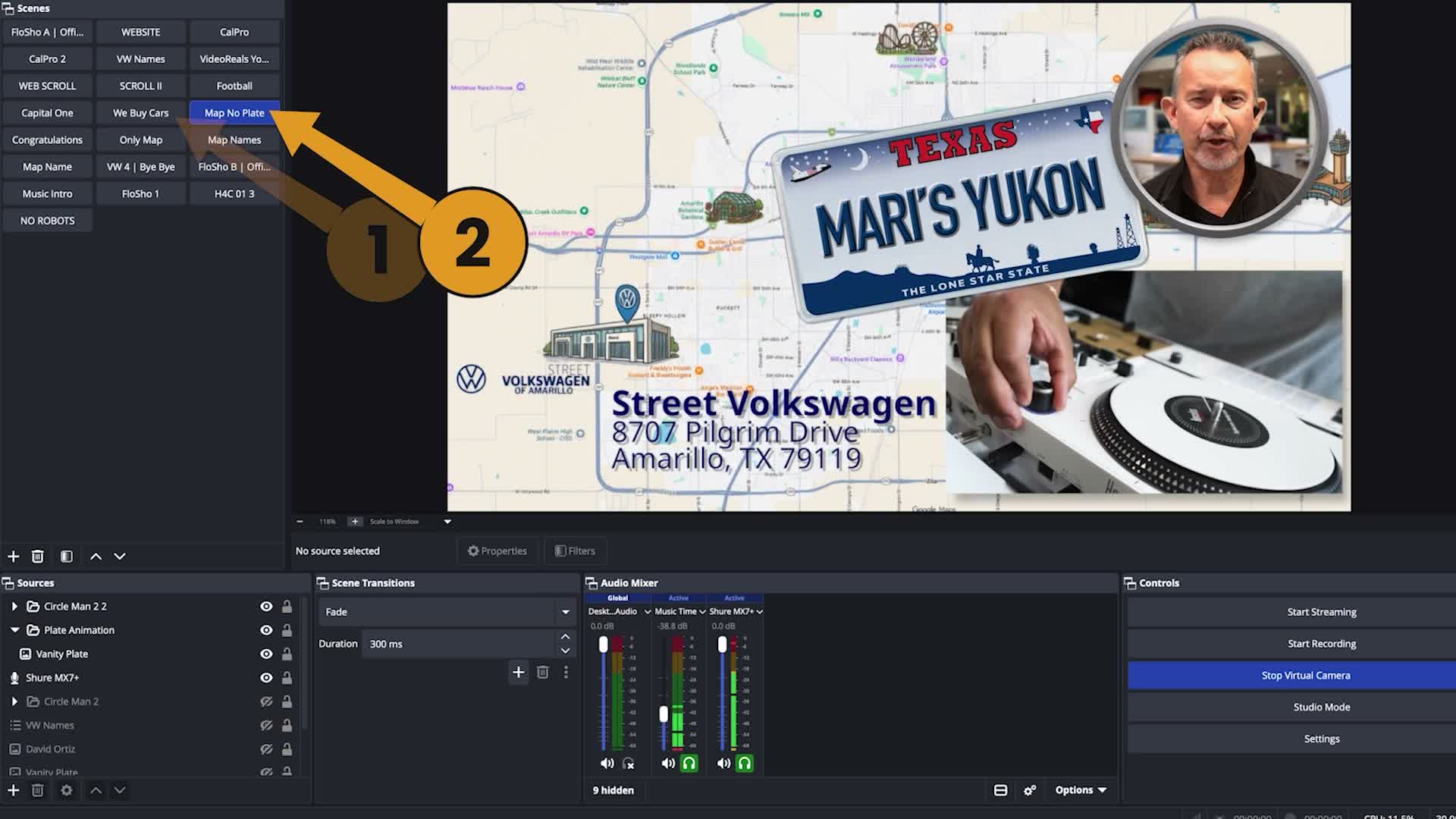
What a mini studio is
Most sales video is somebody in a parking lot with a phone, or a flat screen recording off a desktop. Both are fine. Neither one is what you just watched.
A mini studio uses the same setup streamers use: OBS for the scenes and a row of buttons to switch them. The agent sits at their own desk and talks to one customer. While they talk, one press puts the product on screen, another brings up a map to your door, another adds a banner with their name and number. The scenes don't get cut together afterward. A button press is the edit.
There's no timeline, no export, no music bed, and nobody typing captions. The agent hits record, talks, hits stop, and sends it through the tools you already use.
The desk: it doesn't move
It's a desk somebody already sits at, so nobody leaves to go find the product. At a dealership, that means nobody walks the lot and nobody hunts for keys. That's most of why it actually gets used.
A computer
The one already on the desk. It runs OBS and your CRM.
A webcam
An old 1080p webcam is fine. 1080 is the delivery format; 4K just makes a bigger file of the same video. If you need one, a Logitech C920s is $59.99.
A second monitor
This is the real ask. Your CRM on one screen, OBS on the other, so the agent sees exactly what the customer will see while they talk. It matters far more than lighting.
No lights. No green screen. Six reps on Flo's sales floor make these every day, and not one of them owns a light. A busy workplace behind you beats a pretty backdrop, because people walking by prove you're really there. Flo only uses a green screen because he works remote. It's how he stays in the dealership.
The three layers: scenes, buttons, voice
Scenes: OBS, free
OBS is free broadcast software, the same thing every streamer on Twitch uses. Each scene is a finished frame: you on camera with your name banner, the product, the map to your door. Four scenes are enough for a whole video.
Buttons: Stream Deck, or your mouse
A Stream Deck Mini is $59.99 and switches scenes with a thumb press. It's worth it, but you don't need one. The scene buttons in OBS are buttons: put the window near your camera and click them, or stack your scenes in order and arrow up and down. That's a free Stream Deck.
Voice: you
The layer nobody can sell you. The eight tips below cover it.
The number: $0 to start
What most desks already have
$0
- A computerAlready owned
- A webcamAlready owned, or $59.99
- OBSFree
- A mouse to click the scenesAlready owned
Flo's upgraded desk
$679
- Shure MV7+ microphone$299
- Logitech MX Brio 4K webcam$200
- A lightAbout $100
- Stream Deck Mini$60
- A green blanket, for remote work$20
He bought it for the look. Nobody on his floor spent a dime of it.
Either one is bought once, not monthly. Compare it to a month of anything else on your vendor list. The guide and the Backlot are free.
Prices as of September 2026.
The eight tips: talk to the customer, not the camera
None of this is performance. It's how you already talk to somebody standing at your desk. The camera is the only thing that ever made it weird.
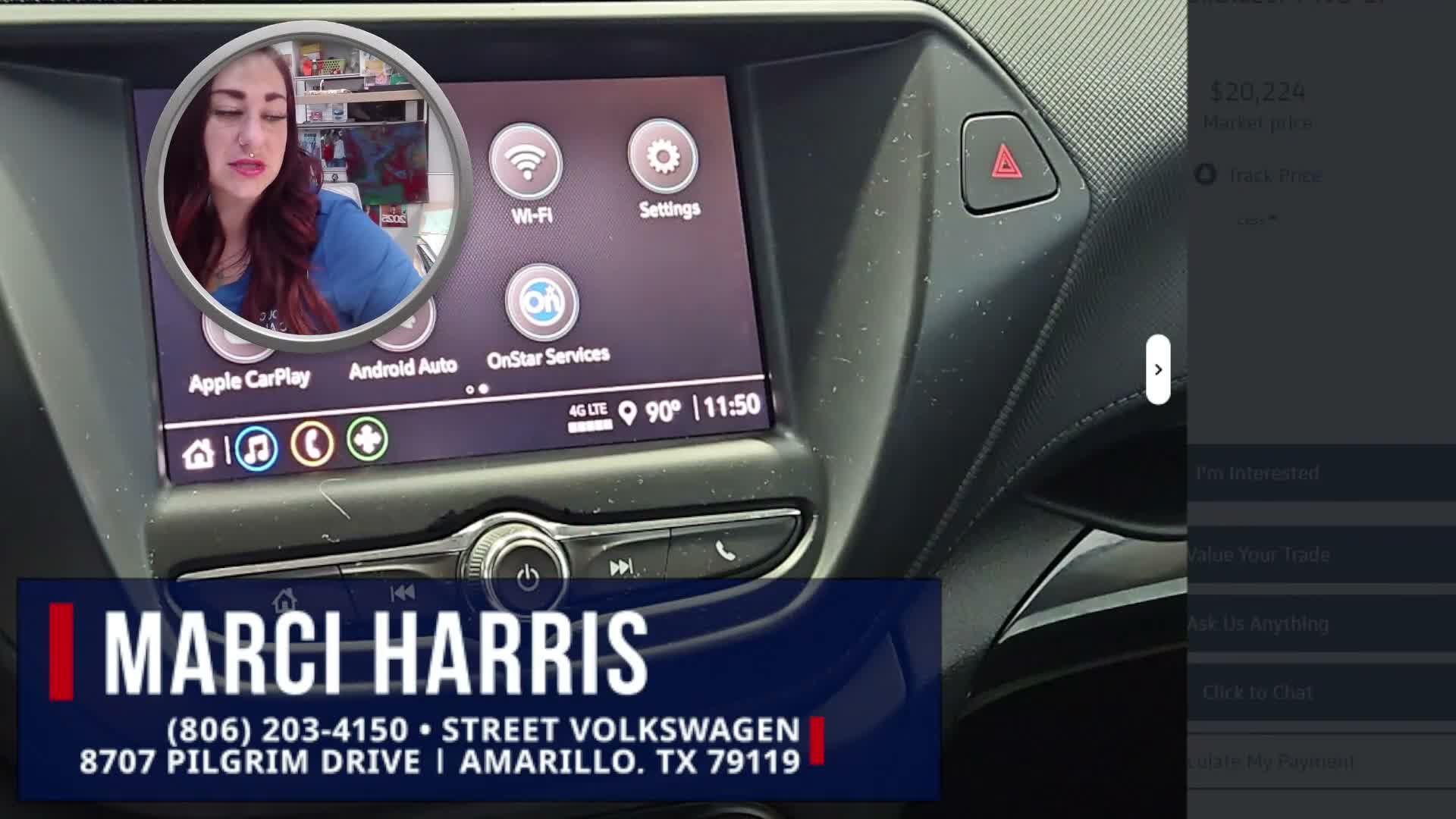
These are the eight things Flo teaches the reps on his floor. They're written for a car store. They work anywhere.
How you look
- Hands in frame, first ten seconds. People are wired to want to see a stranger's hands, and you're asking this one for forty thousand dollars.
- Loose shoulders. A tense body reads as somebody with something to hide, and that's already what they suspect about a car dealership.
- Rest your eyes on the lens. Don't drill it, and don't look past it at your own face.
- Drop your eyebrows. Raised brows and wide eyes are the face of a guy who isn't sure, and it transfers.
How you sound
- Pause instead of “um.” A half second of silence sounds like somebody who knows the car.
- End your sentences going down. Going up sounds like you're asking permission.
- Their name once at the top, once at the close. Not six times. That's a phone script, and they can hear it.
- The car first, then who you are. They opened the video for the car. Not selling cars? Lead with what they asked about.
The full versions are in chapter 05 of the free Mini Studio Guide.
Build your on-screen sets in the Backlot, free
The VideoReals Backlot builds the graphics your scenes use. Fill in one form and it hands you web links. You paste those into OBS as browser sources.
- Name banner: name, title, phone, and your logo on a TV-style plate.
- Store map: a real map of your block that flies down onto a big red pin at your address.
Nothing downloads, so nothing breaks on a machine that didn't create it. Hire somebody Tuesday, add their name to the form, and everybody else's link keeps working. Free, no download, no account.
Questions people ask
What does it cost?
Zero, if you already have a computer and a webcam. Flo's upgraded desk cost $679 because he wanted the look. Either way it's bought once, not monthly. The guide and the Backlot are free.
Who runs it?
Whoever sits down. One machine can serve the whole floor: each agent taps their own button, and the name banner on screen is theirs.
Does it work with my CRM?
Yes. The finished video is a file and a link, so it goes out through whatever you already send with. Dealerships on DriveCentric can also get a free report on their own store from two standard exports.
How long does it take to set up?
About twenty minutes of clicking with the guide open. The simplest video, one with no product to look up, can go out the same afternoon.